So, Finally Blackberry 10 is officially released. And right now, at UK, many people already own Z10 (Zed 10), the First Blackberry 10 handset. But I'm sure many of us will try to figure out, How we transfer our contacts, music, videos, etc from previous smartphone/featurephone/blackberry to our brand new Blackberry 10 device?
Well, Blackberry (previously RIM), is already making the How To at their website our it's customers, us.
So, What can you transferred from our previouse smartphone (IOS and Android), Feature Phone, and your previous Blackberry? And How can we do that? You can see those below.
Blackberry
Download the Blackberry Link: Windows|Mac
Instruction for other smartphones and feature phone, you can find in: iPhone|Android|Feature Phone
Source: Blackberry
Add to Cart
View detail
Tampilkan postingan dengan label Blackberry Link. Tampilkan semua postingan
Jumat, 01 Februari 2013
Jumat, 11 Januari 2013
Blackberry Link for Windows
Maybe all of us wondering will Desktop Manager for Blackberry be used again for Blackberry 10? The Answer is no. Desktop Manager Will be replaced by Software called Blackberry Link.
Blackberry Link is a Desktop Manager too, but with better visual from previous version. If I can say, this software is look like i-Tunes for Apple but without any capabilities to buy and install application into our Blackberry Handset.
So, please enjoy yourself to see The Blackberry Link for Windows Version.
Blackberry Link Setup
Add to Cart View detail
Blackberry Link is a Desktop Manager too, but with better visual from previous version. If I can say, this software is look like i-Tunes for Apple but without any capabilities to buy and install application into our Blackberry Handset.
So, please enjoy yourself to see The Blackberry Link for Windows Version.
Blackberry Link Setup
Desktop Files View
Handset Files View
Moving Files/Pictures/Video/Document. Just Drag and Drop!
Blackberry Link Setting
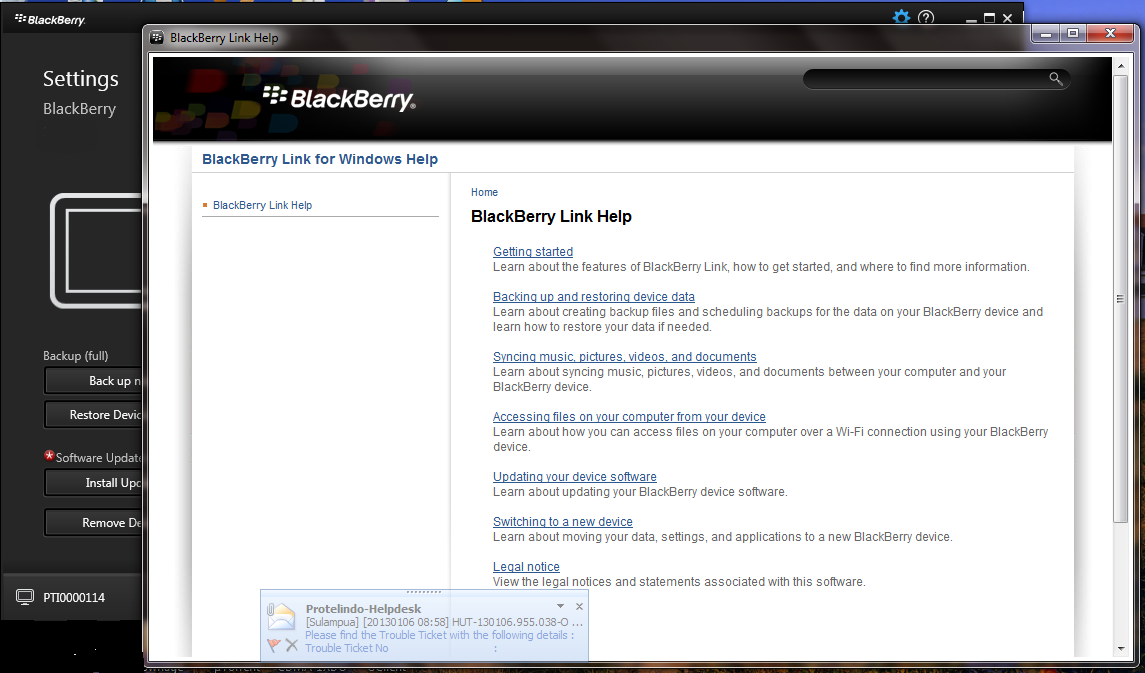
Blackberry Link Help
Interesting, isn't it?
PS: Don't add the PIN, this Blackberry is not belong to me.
Add to Cart View detail
Langganan:
Postingan (Atom)